English
 Italiano
 Українська
 Русский
 Español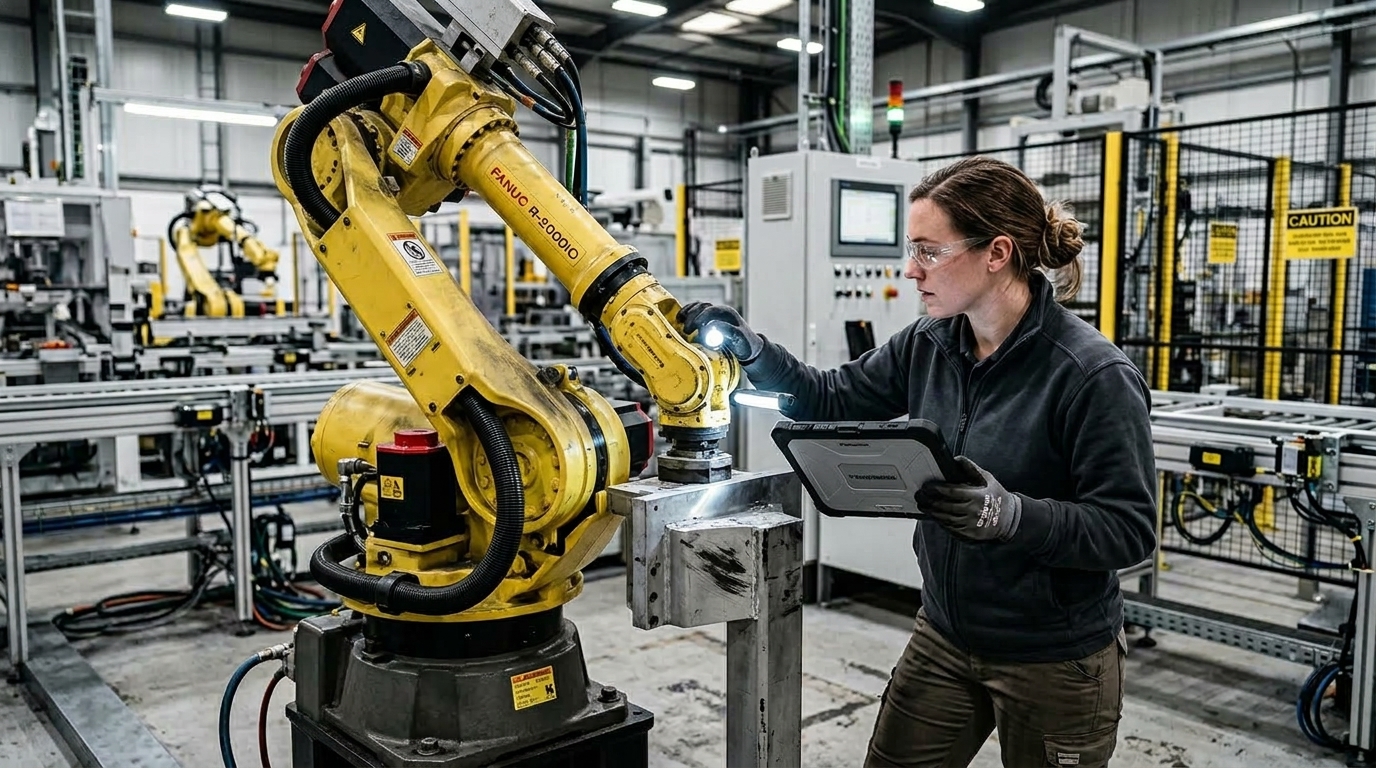

What should happen immediately after an industrial robot collision?
An industrial robot collision should not be treated as a fault that only needs to be reset. The first response is to secure the cell, identify what made contact, preserve useful diagnostic information, and determine whether the robot, tooling, fixtures, safety equipment, or process references may have been affected.
A proper robot collision inspection should be proportional to the event. Light contact during controlled low-speed movement is different from an impact involving the wrist, workpiece, fixture, spindle, gripper, positioner, or another machine. The manufacturer’s documentation and the cell’s established safety procedures should determine the required checks.
The recovery process therefore moves through several stages: making the cell safe, documenting the event, inspecting mechanical components, checking calibration and tooling references, performing controlled movement, and finally validating the application before normal production resumes.
Secure the cell before investigating.
Personnel safety comes before troubleshooting. Access to the hazardous area should follow the site’s approved energy-control, safeguarding, and maintenance procedures. A collision alarm, emergency stop, or protective stop should not by itself be interpreted as confirmation that every hazardous energy source has been controlled.
Before moving the robot, record available alarm messages, robot position, active program step, operating mode, tool condition, workpiece position, fixture state, and visible contact marks. These details can help identify whether the event originated from programming, tooling, part presentation, sensing, fixture position, or another condition.
Why can a collision affect more than robot movement?
A controller can detect an abnormal load or collision without showing whether any component has physically shifted. Depending on the impact, the event may affect the end effector, mounting interface, dress pack, fixture, workpiece, sensors, external axes, or the relationship between the robot and its process coordinates.
This matters because a robot may still move normally after the event while producing an incorrect process result. Machining, dispensing, welding, trimming, assembly, and inspection can depend on tool and coordinate relationships that are more sensitive than basic robot movement.
Mechanical damage and calibration errors are different.
Mechanical inspection looks for physical damage, looseness, deformation, displacement, or abnormal movement. Calibration verification determines whether stored robot and application references still correspond to the physical system. A collision may produce either type of problem, both, or neither.
Robot collision inspection: eight practical checks
The following sequence provides a practical framework. It does not replace the manufacturer’s collision-recovery procedure, service manual, or the site’s risk assessment.
- Save relevant alarms, event records, program information, and operating conditions before resetting faults when possible.
- Inspect the collision point, robot wrist, end effector, workpiece, fixture, guards, sensors, and nearby equipment for visible damage or displacement.
- Check cables, hoses, connectors, dress packs, and tool services for crushing, tension, abrasion, loose connections, or restricted routing.
- Confirm that the end effector and its mounting hardware remain secure and inspect tools, grippers, probes, torches, cutters, or spindles for movement or damage.
- Check manufacturer-defined mastering, calibration marks, reference positions, or verification data when the impact could have affected an axis reference.
- Verify TCP, work objects, user frames, base frames, fixture coordinates, or other process references whose physical position may have changed.
- Inspect and test safety devices or interlocks affected by the collision or subsequent maintenance according to the cell’s validation procedures.
- Perform controlled test movements before automatic operation, then verify the actual process result using the application’s approved acceptance criteria.
What mechanical components need inspection?
A robot collision inspection should begin around the contact point and follow the path through which the collision force could have been transmitted. For a tool impact, this may include the tool itself, flange, wrist, adjacent robot structure, mounting system, fixture, positioner, or other equipment involved in the contact.
Look for cracks, deformation, damaged covers, loose fasteners, shifted witness marks, abnormal clearances, fluid leakage where applicable, or components that no longer sit in their expected position. Unusual mechanical noise, brake concerns, or abnormal axis behavior are reasons to stop recovery and obtain qualified technical assessment. If unexpected joint movement or mechanical play is detected, the guide Gearbox Backlash: How to Verify It Before Buying a Refurbished Industrial Robot explains how backlash should be assessed using controlled measurements rather than subjective hand movement.
Do not inspect only the six-axis robot.
The robot arm may remain serviceable while an attached gripper, welding torch, machining spindle, tool changer, fixture, rail, or positioner has shifted. These components can create repeatable process errors that initially appear to be robot accuracy problems.
Related information about robot calibration, stiffness, tooling, and positioning can also be found in the Robotic Hi-Tech Solutions industrial robotics technical guides.
When should TCP, frames, and mastering be checked?
During a robot collision inspection, TCP and application frames should be checked when the physical reference used to define them may have moved. A bent tool, loose end effector, displaced fixture, changed sensor position, or movement of the robot base can make previously valid coordinate data incorrect even when the stored numerical values remain unchanged. The article How TCP Calibration Errors Become Dimensional Errors in Robotic Machining explains how incorrect tool data can translate into positioning and dimensional deviations.
Mastering requires a manufacturer-specific procedure.
Axis mastering or calibration is a separate issue. It should be investigated when the impact may have disturbed an axis reference, transmission relationship, encoder reference, or another manufacturer-defined calibration condition. The correct verification process depends on the robot brand, model, controller, and maintenance procedure.
Program offsets should not be used simply to hide unexplained positional errors. If a tool or fixture has moved, correcting robot points without restoring the physical reference can introduce errors elsewhere in the program.
What controller information should be reviewed?
As part of the robot collision inspection, review alarms associated with the collision and any related servo, safety, encoder, mastering, communication, or application events. Diagnostic capabilities vary between manufacturers, so the meaning of each alarm should be interpreted using the documentation for the specific controller.
Also determine whether recovery work changed tool data, frames, payload configuration, programs, variables, mastering data, or safety settings. When procedures allow it, backing up relevant controller and application data before substantial changes provides a reference if further troubleshooting becomes necessary.
How should controlled recovery be performed?
After the robot collision inspection is complete, the recovery sequence should move from inspection to controlled motion rather than directly back to automatic production. Before movement, remove temporary tools and loose objects and confirm that personnel are outside hazardous areas as required by the applicable cell procedure.
Begin with controlled robot movement.
After the robot collision inspection, use the operating mode, speed limits, and recovery method specified by the manufacturer and system documentation. Observe affected axes, tooling, cable routing, clearances, and external equipment for unexpected movement, abnormal noise, vibration, interference, or renewed contact.
A robot that completes its programmed path without an alarm has not necessarily passed the recovery process. The application itself must also be checked. Depending on the process, that may mean verifying dimensions, weld position, machining result, dispensing path, grip position, trim location, or another defined quality criterion.
When can the robot return to production?
The robot should return to normal production only after the robot collision inspection is complete, necessary repairs are finished, relevant safety functions are verified, robot and process references have been checked, and the application produces results that meet the site’s established acceptance requirements.
The current ISO 10218-2:2025 standard for industrial robot applications and robot cells addresses safety requirements associated with integration, commissioning, operation, and maintenance. Detailed post-collision procedures, however, still depend on the particular robot, application, manufacturer instructions, and risk assessment.
Document the incident and corrective work.
Useful records can include alarms, collision circumstances, inspection findings, replaced components, mastering or calibration checks, tool or frame verification, program changes, safety checks, test results, and authorization for return to service. Documentation also helps investigate recurring collisions instead of treating each event as an isolated fault.
If the incident involves suspected structural damage, abnormal axis behavior, loss of calibration, repeated unexplained collisions, or a system that cannot be safely validated internally, contact Robotic Hi-Tech Solutions to discuss the inspection and recovery requirements of the application.
FAQ
Can a robot be restarted immediately after a minor collision?
Not automatically. The contact should first be assessed according to the manufacturer’s instructions and site procedures, including whether tooling, fixtures, cables, coordinate references, or safety devices were affected.
Does every collision require robot remastering?
No. Remastering should be performed when the appropriate verification method indicates that axis reference data has been lost or disturbed. Unnecessary remastering can introduce additional positioning errors.
Can a collision change the TCP?
The stored TCP values do not normally change simply because a collision occurs. However, a tool can bend, rotate, loosen, or shift, causing the stored TCP to no longer describe the physical tool correctly.
Should collision alarms be cleared before inspection?
Relevant alarm and event information should be recorded first when possible. Preserving this information can help determine the sequence of events and identify the initiating cause.
What if the robot moves normally after the collision?
Normal movement does not prove that process references, tooling, fixtures, or mechanical components remain correct. A robot collision inspection should still verify the application result before normal production resumes.
When should a specialist inspect the robot?
Qualified technical support is appropriate when there is visible structural damage, abnormal axis movement, unusual mechanical noise, suspected brake or transmission damage, lost mastering, or uncertainty about safe recovery.
Does ISO provide one universal post-collision checklist?
No single checklist applies to every robot and application. Safety standards establish broader requirements, while detailed inspection and recovery methods depend on manufacturer documentation, system design, application hazards, and the applicable risk assessment.
How can another collision be prevented?
Identify the initiating cause before restoring normal operation. Relevant factors can include program changes, incorrect frames, tool condition, fixture movement, part presentation, sensor signals, payload configuration, external-axis coordination, or maintenance changes.