English
 Italiano
 Українська
 Русский
 Español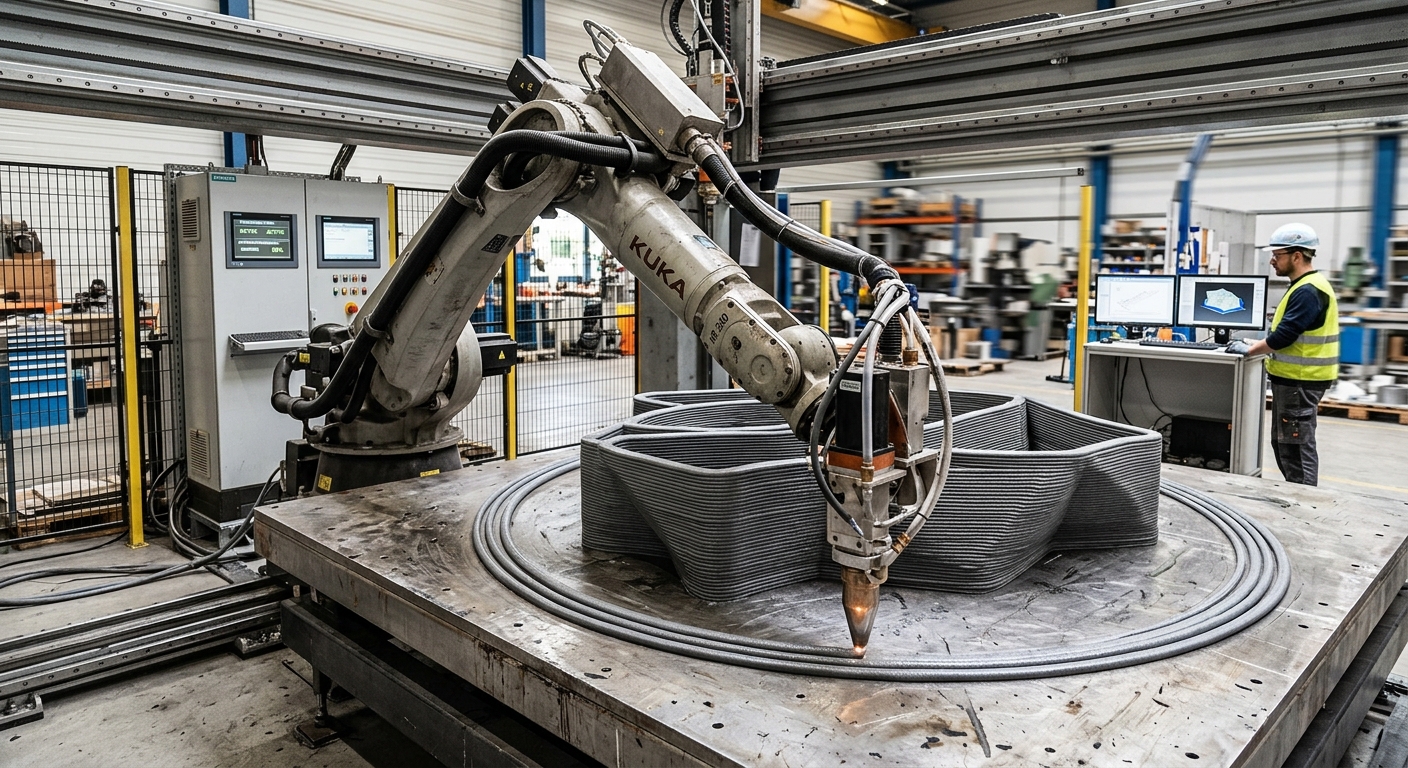

Start and stop points in robotic extrusion toolpaths determine where material deposition begins, ends, and resumes during a printing operation. Poorly positioned transitions can produce excess material, incomplete beads, visible seams, or dimensional irregularities. These defects may occur even when the robot follows the programmed geometry accurately. Effective planning requires coordinating nozzle movement, extrusion commands, material response, and the location of each transition.
The main objective is to maintain consistent material deposition while reducing interruptions in critical areas. Engineers must consider the geometry of the printed component, the behavior of the extrusion system, and the time required for material flow to respond to control commands. Start and stop locations should therefore be selected during toolpath generation rather than treated as secondary programming details.
This article explains how to select suitable transition locations, synchronize extrusion with robot movement, and evaluate common defects. It also describes practical verification procedures for large-format polymer printing and other material-extrusion processes. The recommended methods require validation with the specific material, equipment, and production conditions.
Why do start and stop points affect extrusion quality?
Material accumulation at transitions
Material flow does not necessarily begin or end at the exact moment an extrusion command changes. Pressure inside the delivery system, the characteristics of the material, and the response of the extrusion mechanism can create a delay. Consequently, material may accumulate near the beginning or end of a programmed path.
Discontinuities between deposited beads
When extrusion starts too late, the robot may move before sufficient material reaches the printing surface. The resulting bead can contain a gap or reduced cross-section. Conversely, excessive initial flow may produce a localized bulge that changes the intended geometry.
These irregularities become particularly relevant when multiple paths meet at the same location. Repeated transitions can create surface discontinuities or affect contact between adjacent beads. The significance depends on the material, component design, and subsequent processing.
How to select start and stop locations
Choose locations based on component geometry.
Start and stop positions in extrusion toolpaths should be evaluated against the geometry and functional requirements of the printed component. Where possible, visible transitions can be placed on surfaces that are accessible for inspection or subsequent finishing. However, moving a transition to a less visible area must not compromise structural or dimensional requirements.
Avoid critical corners and interfaces.
Sharp corners, thin walls, and interfaces between adjacent paths require particular attention. Robot deceleration and changes in deposition direction can alter the relationship between material flow and travel speed. Placing an uncontrolled restart at these locations may increase the risk of excess material or incomplete deposition.
For closed contours, engineers should compare alternative seam locations and path directions. A suitable position allows a predictable nozzle approach, stable deposition, and adequate clearance during departure.
How to synchronize material flow with robot movement
Account for extrusion response time
Extrusion systems may respond differently to start and stop commands. This response directly affects the accuracy of extrusion toolpaths. Screw-driven extruders, pumps, and other material-delivery mechanisms have distinct operating characteristics. The timing strategy must reflect the actual equipment rather than rely on a universal delay value.
Engineers can establish the response through controlled deposition trials. Record when the command is issued, when material reaches the nozzle, and when a stable bead develops. These observations help determine whether the process requires controlled priming, adjusted command timing, or another compensation strategy.
Coordinate robot acceleration and extrusion output
Robot acceleration and deceleration influence the amount of material deposited per unit length. If extrusion output remains constant while movement slows, material can accumulate. If movement accelerates without sufficient flow, the deposited bead may become narrower.
The relationship between deposition volume, robot speed, and nozzle geometry is explained in the article on controlling extrusion bead width and layer height. These variables should be evaluated together when defining start and stop sequences.
How to prevent defects when stopping extrusion
Control residual pressure and material discharge
Stopping the extrusion motor does not always stop material discharge immediately. Residual pressure or stored material inside the delivery system may continue pushing material through the nozzle. In extrusion toolpaths, this residual discharge can form a raised endpoint or distort an adjacent deposited segment.
Depending on the equipment, possible control methods include reducing extrusion output before the endpoint, pressure-relief functions, or controlled material retraction. Retraction is not available or suitable for every extrusion process. Its effectiveness must be confirmed experimentally.
Plan safe nozzle departure movements.
After deposition stops, the nozzle must leave the printed surface without dragging material across the component. Departure direction, travel speed, nozzle clearance, and residual discharge all influence the result.
A short travel movement may be appropriate after material flow has stabilized. However, the planned departure must also account for surrounding walls, fixtures, and previously deposited layers. Simulation should verify the complete tool geometry rather than only the programmed tool center point.
How to manage restarts and complex toolpaths
Maintain consistent restart conditions.
Repeated printing operations require consistent nozzle positioning, material temperature, and extrusion readiness. Maintaining these conditions improves repeatability when executing extrusion toolpaths with multiple restarts. A restart performed after an extended interruption may behave differently from one occurring during continuous production.
When inconsistent output persists beyond the restart, engineers should investigate the material-delivery system. The article on material feed pulsation in robotic printing explains how variations in delivery pressure and feed conditions can affect deposited geometry.
Consider non-planar movements
Non-planar extrusion introduces additional constraints because nozzle orientation may change throughout the path. Start and stop positions must provide adequate clearance while maintaining a suitable relationship between the nozzle outlet and deposition surface.
These geometric constraints are discussed further in nozzle orientation in non-planar robotic 3D printing. Engineers should verify tool orientation, robot posture, and potential interference before approving the sequence.
Practical checklist for planning extrusion toolpaths
A repeatable planning procedure helps engineers identify potential transition defects before production. The following checks should be completed during programming and validated through representative printing trials.
- Identify critical surfaces: Mark functional interfaces, exposed surfaces, and areas where visible seams or excess material are unacceptable.
- Review transition locations: Compare possible start and stop positions against component geometry, nozzle accessibility, and finishing requirements.
- Measure extrusion response: Determine how material delivery responds to start and stop commands under representative operating conditions.
- Verify movement speed: Check acceleration and deceleration near transitions and confirm that material output remains appropriate.
- Inspect nozzle clearance: Evaluate approach and departure movements for interference with deposited layers, fixtures, and surrounding equipment.
- Check residual discharge: Observe whether material continues leaving the nozzle after an extrusion stop command.
- Validate restart behavior: Compare bead formation after short interruptions and longer pauses where relevant to the production cycle.
- Document approved settings: Record transition positions, extrusion commands, motion parameters, material conditions, and inspection results.
How to validate start and stop strategies
Validation of extrusion toolpaths should use representative materials, nozzle configurations, and printing conditions. Straight deposition tests help isolate extrusion response, while corners and closed contours reveal the interaction between material delivery and changing robot motion.
Inspection should compare the intended path with the resulting bead. Examine start-point accumulation, endpoint geometry, seam continuity, bead dimensions, and surface irregularities. Where required, additional testing should assess bonding or mechanical performance rather than relying only on visual appearance.
Engineers should modify one relevant process variable at a time when investigating defects. This makes it easier to identify whether the underlying problem involves extrusion timing, material condition, nozzle positioning, or robot movement.
Integrating start and stop planning into production
Validated extrusion toolpaths should form part of the approved production program. Toolpath data, extrusion commands, nozzle calibration, and material settings must remain consistent with the approved process configuration. Changes to any of these elements may require additional verification.
For terminology related to material extrusion and additive manufacturing processes, the ISO/ASTM 52900:2021 standard provides an established reference. It defines additive manufacturing process categories but does not prescribe universal start and stop settings for individual extrusion systems.
Production teams evaluating robotic extrusion cells can contact Robotic Hi-Tech Solutions to discuss toolpath planning, extrusion synchronization, robot configuration, and application-specific integration requirements.
FAQ
What causes excess material at extrusion start points?
Excess material may result from pressure buildup, excessive initial output, or insufficient robot movement during extrusion startup. Controlled tests help identify the principal cause.
Where should extrusion start and stop points be located?
Prefer locations with suitable nozzle access, predictable motion, and acceptable seam visibility. Avoid critical functional interfaces unless the process has been validated for those conditions.
Can extrusion commands be synchronized with robot movement?
Yes. Depending on controller and extrusion-system capabilities, coordinated commands can adjust material delivery around motion transitions. Actual timing must be verified through testing.
Why does material continue flowing after extrusion stops?
Residual pressure, material compressibility, and the delivery system’s mechanical response may sustain discharge after the stop command.
Does nozzle orientation affect extrusion endpoints?
Yes. Nozzle orientation changes the geometric relationship between the outlet and deposited surface. It can also influence clearance during approach and departure movements.
Are retraction commands necessary for every extrusion process?
No. Some extrusion systems support retraction, while others require pressure control, flow reduction, or different stopping strategies. Equipment compatibility determines the available options.
How can engineers evaluate seam quality?
Inspect bead continuity, local dimensions, surface accumulation, and alignment. Mechanical or bonding tests may also be required when seams affect functional performance.
Can optimized start and stop points eliminate printing defects?
No. Better transition planning can reduce certain defects, but material instability, calibration errors, thermal conditions, and inconsistent extrusion output may still affect printing quality.